
Camera and mannequin
| Input | What it does |
|---|---|
| Middle mouse button, held | Rotate the camera around the mannequin |
| Middle mouse button, pressed | Zoom in |
| Z | Zoom in |
| Scroll wheel | Rotate the mannequin |
| WASD | Pan the view up and down |
Holding the middle button to orbit is the one to learn first. Almost every awkward moment in decoration — a cuff you cannot see the back of, a trim line that vanishes around a shoulder — is solved by moving the camera rather than by changing the dress.
If the camera stops responding to rotation at some point, leaving the mannequin for the shop and coming back restores it. It is a known quirk rather than something you did wrong.
Pattern rotation snaps to exact angles
This is the highest-value input in the game and almost nobody finds it by accident.
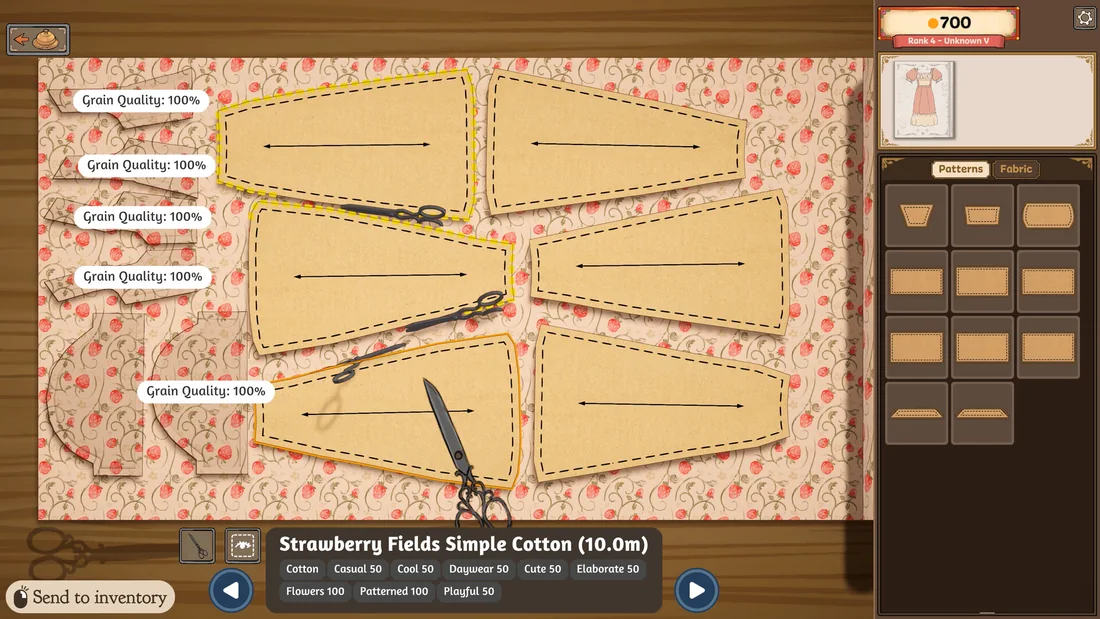
Scrolling while holding a pattern rotates it — and it snaps to nine-degree increments. That means 0, 45 and 90 degrees are all reachable exactly, no matter how far off the pattern had drifted. Since cutting on the grain is one of the two things that drive the quality multiplier on a finished dress, being able to return a piece to a true 90 degrees with a single scroll is worth more than it sounds.
The arrow keys and A and D unroll more or less fabric when you are laying out, which is how you avoid trimming a bolt you did not need to cut.
Two more pattern-stage habits from the same source:
- Hover a pattern piece for a moment and the game shows you where it belongs on the mannequin. Useful when a dress has more panels than you are holding in your head.
- Direction matters. Cutting a piece the wrong way up is easy to do and hard to notice, and it shows on the finished dress.
Cutting every piece at once
Once your layout is set, you can click the scissors on each piece in turn and let them all cut simultaneously — you do not have to wait for one piece to finish before starting the next.
Then, to clear the cut pieces, you do not need to click them individually either. Hold the right mouse button and drag across them and they go into the bin together.
Cutting patterns can also be recycled. If you cut a piece in a fabric you have changed your mind about, or you made a mistake, drag it out of the side menu and a prompt appears.
Sewing: the scroll wheel and sewing assist
Sewing is the stage people bounce off, and there are two settings and one input that change it completely.
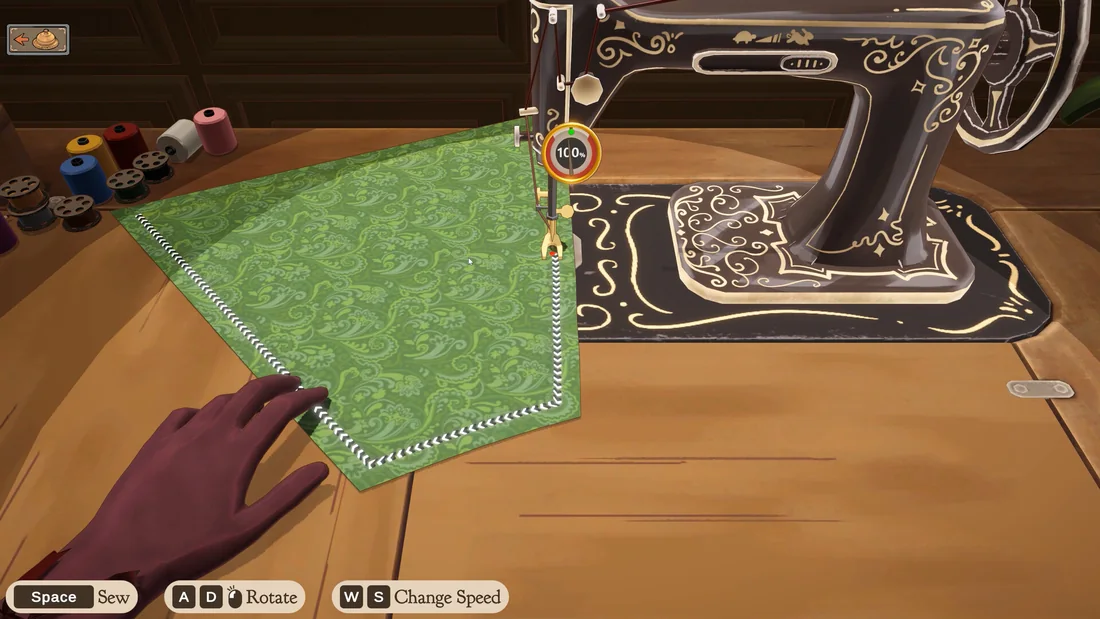
Sewing assist, in Settings, moves the fabric for you. With it on, the technique is to go slowly and stop around corners — or, as one player describes it, "tap, tap, tap".
The scroll wheel sews a manual amount. This is the input that makes corners manageable: scroll a little, adjust, scroll again, rather than holding a direction and hoping. Experienced players use it at every corner and for tight turns, with or without sewing assist.
The Accessory Rotation Gizmo, also in Settings, gives you full X, Y and Z rotation for accessories instead of surface-only placement — the setting to turn on before you attempt anything detailed.
One reassurance worth having: bad sewing lowers your quality percentage, but sewing better later raises it again. A sloppy seam early in a dress is not a write-off.
Finding things in the menus
A few habits that save real time once your inventory grows:
- Filter. You can filter by design type and by fabric. Players who skip this end up scrolling the whole emporium for one bolt.
- Tap a fabric in your inventory and it pulls that fabric up directly, instead of searching for it again.
- Bought fabric you do not need? Make a quick dress and sell it off the rack to get the coin back — see the Dressmaker money guide.
- Starred items appear at the top of the list while you are cutting patterns or decorating, so adding a fabric to the design page is also a way of pinning it.
Photo mode and the small touches
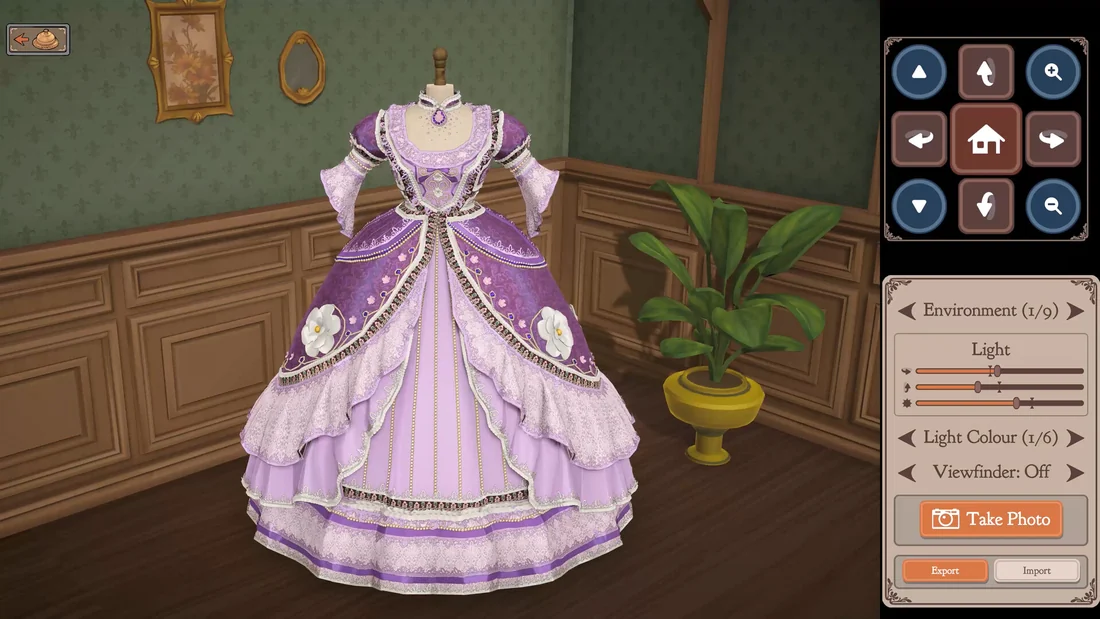
Photo mode lets you change the mannequin colour, the background and the lighting, which is how you get a clean screenshot of a finished dress. In sewing mode, clicking the spool changes the thread colour.
There is also a debug combination — Ctrl + Shift + C — which, from what players have seen, allows importing and exporting designs. It is not a documented feature and we are reporting it as an observed one.
Frequently asked questions
How do you rotate a pattern exactly 90 degrees?
Hold the pattern and scroll. Rotation snaps to nine-degree increments, so a single scroll brings a drifted piece back to 0, 45 or 90 degrees exactly. This is the fastest way to hit the grain, which feeds the quality multiplier on the finished dress.
How do you cut all the pattern pieces at once?
Click the scissors on each piece; they cut simultaneously rather than one after another. To clear them, hold the right mouse button and drag across the cut pieces to send them to the bin.
Can you change the controls in Dressmaker?
The developers have published no key-rebinding option. What is documented on the store page is a Mouse Only Option category, alongside Custom Volume Controls and Playable without Timed Input, so a mouse-only playstyle is an intended one rather than something you have to fight.
Does bad sewing ruin a dress?
No. Bad sewing lowers the quality percentage, but sewing better afterwards raises it again, so an early mistake can be recovered within the same dress.
Where to go next
These inputs mostly serve two stages: laying out patterns and decorating. The Dressmaker sewing tips page covers the grain and seam decisions they feed, decorations and trim covers the pin work, and how to play Dressmaker puts the whole loop in order.